
Multi-channel campaigns
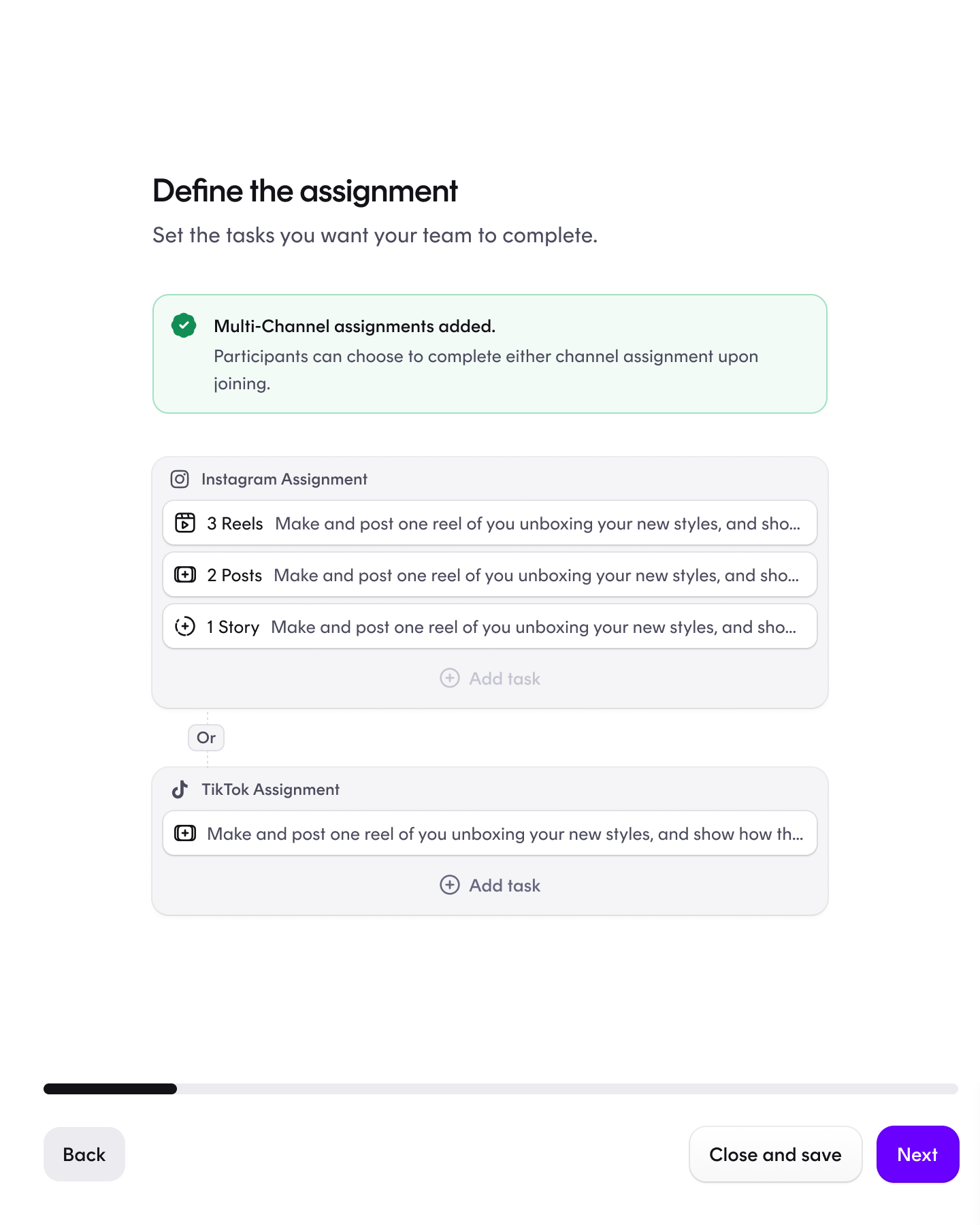
With multi-channel campaigns, one campaign can span both Instagram and TikTok. Instead of duplicating the same brief into two separate campaigns, you define tasks for each platform nce, and every creator joins on one channel and completes that channel's tasks.
 How it works
- Select your channels. When creating a campaign, choose Instagram, TikTok — or both.
- Define tasks per platform. Set up the assignment separately for each channel: for example, reels, posts and stories on Instagram, and video posts on TikTok.
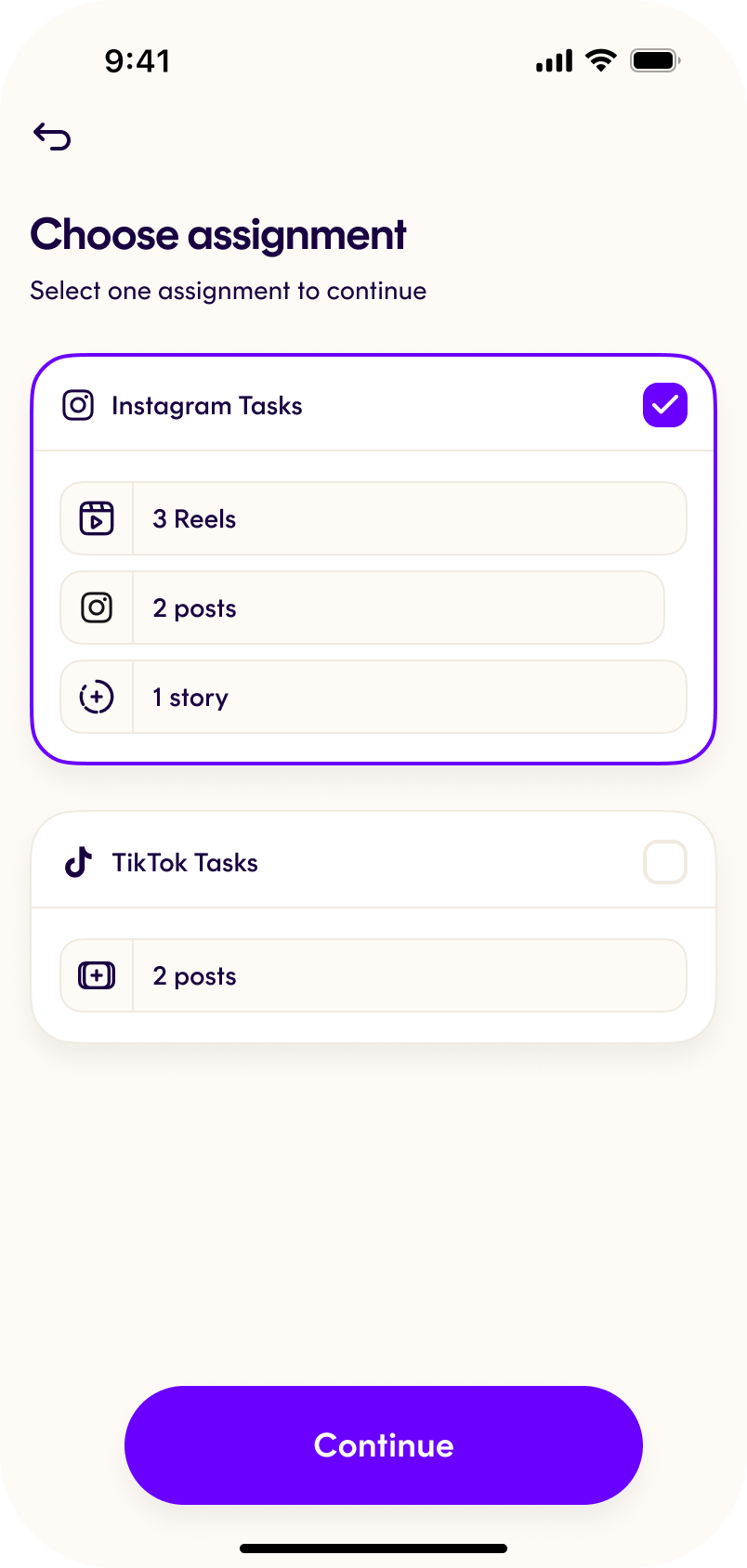
- Creators pick one channel. Each participant joins the campaign on a single platform and gets that platform's tasks — one creator can't join the same campaign on both channels.
- Follow everything in one overview. Platform badges on the campaign and participant list show which channel each creator chose and what they're working on.
Why it matters
- ✅ One brief, two channels — create and manage a single campaign instead of running parallel copies per platform.
- ✅ Tasks that fit each platform — define the assignment separately per channel, so Instagram creators get Instagram-shaped tasks and TikTok creators get TikTok-shaped ones.
- ✅ A broader creator mix — opening a campaign to both channels distributes it across a wider set of creators, and because each creator joins on exactly one channel, you get varied content instead of duplicates.
- ✅ Less time on setup and review — one campaign to create, one participant list to follow, one place to review content.
Multi-channel campaigns currently support Instagram and TikTok. They work with content approval if you want to review content before it goes live. Note that dynamic pricing isn't available on multi-channel campaigns yet.