
Content approval
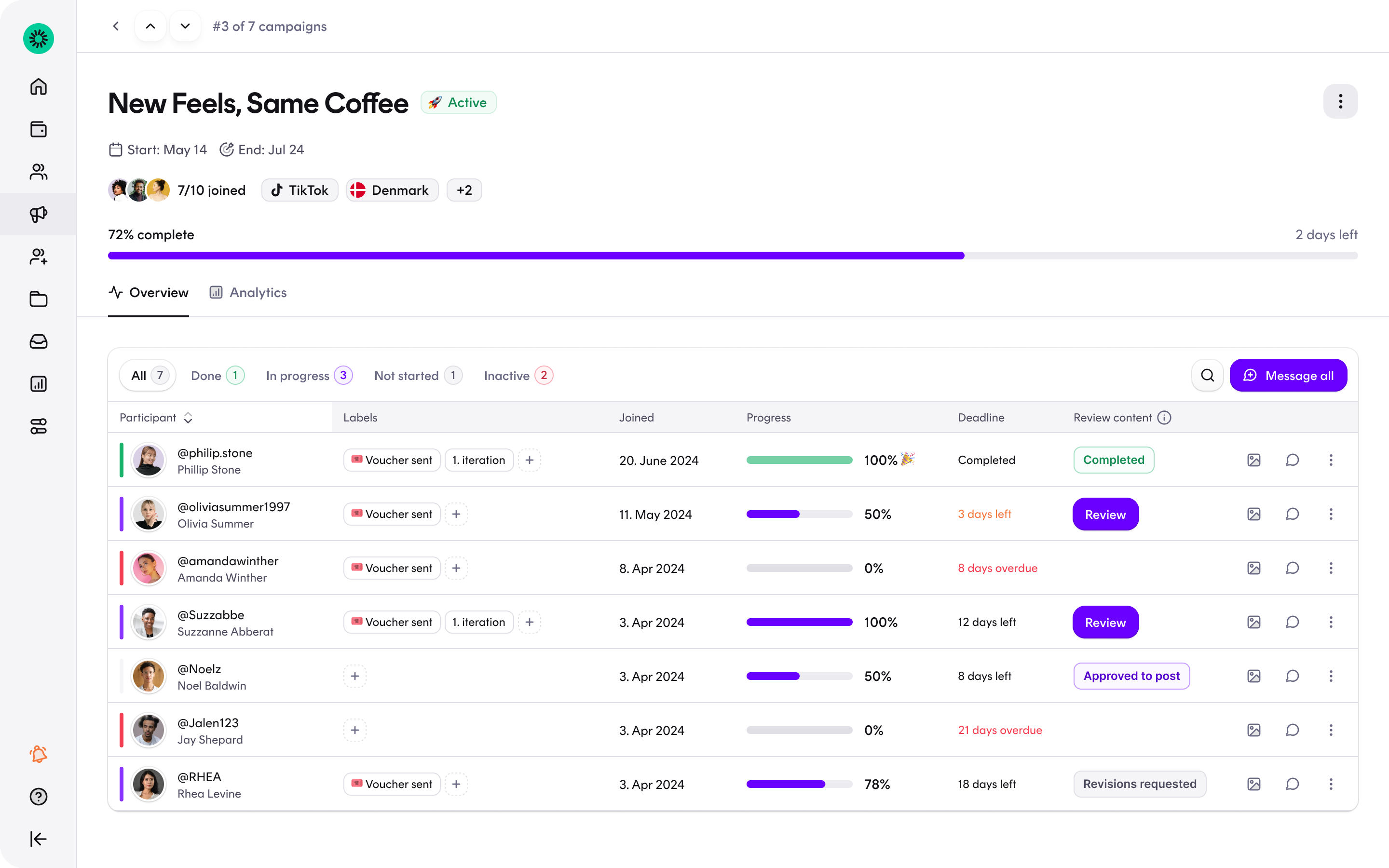
With content approval, you review and approve content before it goes live. Turn it on for any campaign — it's available on all campaign types, not only UGC — and creators submit their content as drafts for your review instead of posting right away.
How it works
- Require approval on your campaign. When creating or editing a campaign, enable content approval and describe what you'll be looking for. Creators see your expectations before and after joining.
- Creators upload drafts. Instead of posting directly, participants upload their content for your review.
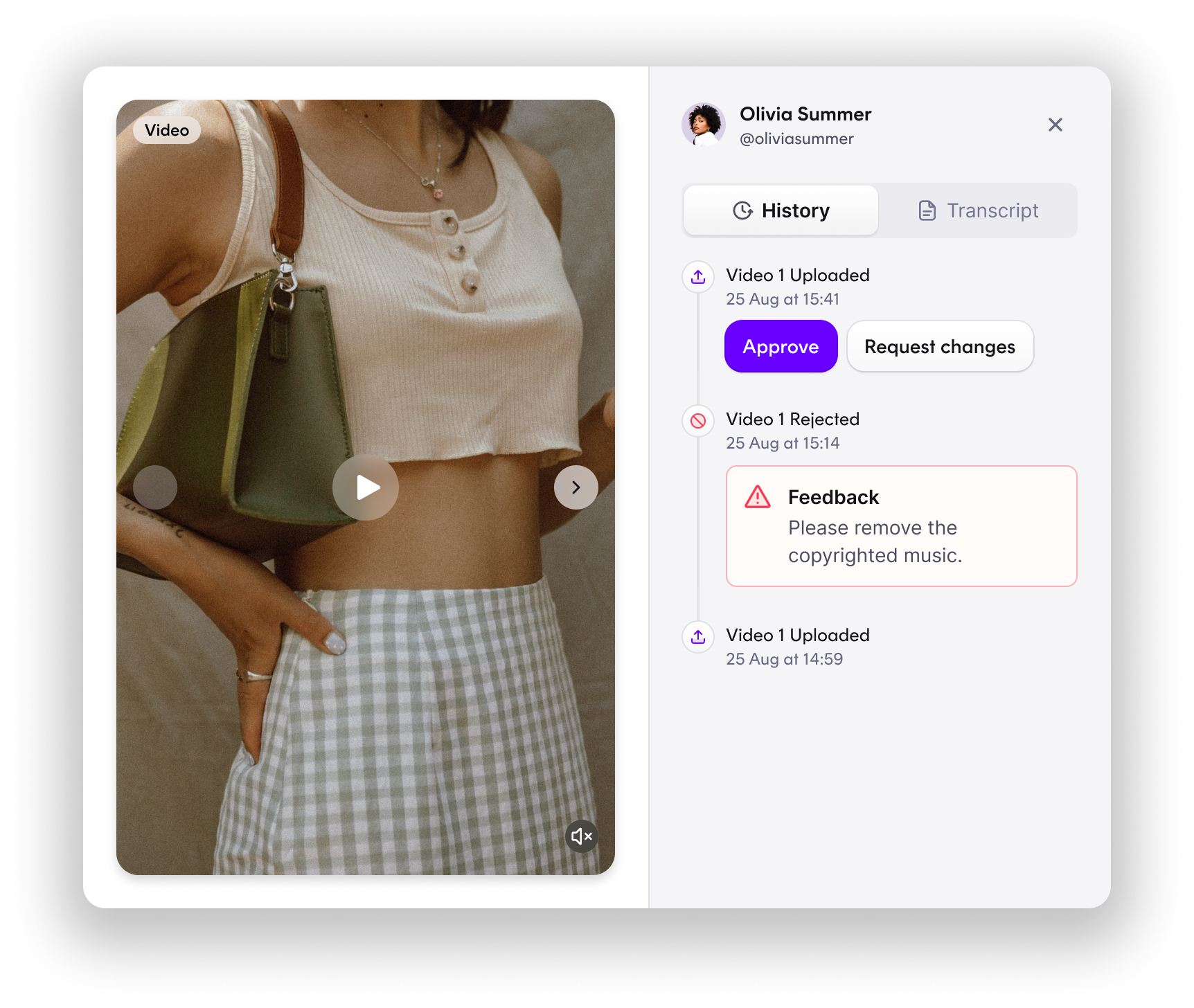
- Approve or request changes. Give feedback directly on a submission and creators upload a revised version, as many rounds as needed. The whole loop stays on the platform — no email or DM ping-pong.
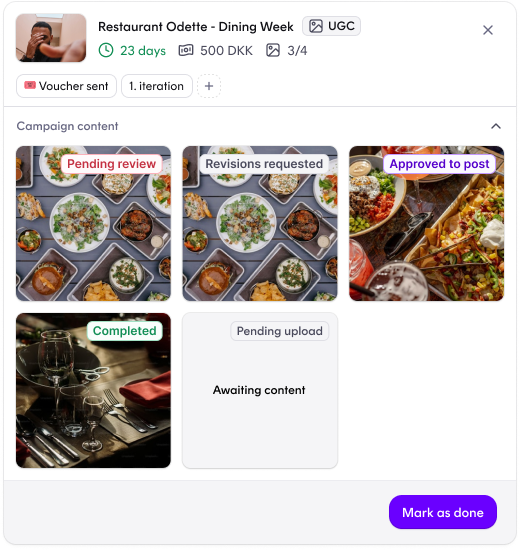
- Approved content goes live. Once you approve, the creator posts. You both see the same status at every step, from first upload to posted.
Why it matters
- ✅ A compliance safeguard — review guidelines and disclosure requirements while content is still a draft, before the creator posts.
- ✅ Quality before reach — catch off-brand or low-quality content while it's still a draft, not after it's live.
- ✅ Feedback where the work is — comments, revisions and approvals live on the content itself, not scattered across inboxes.
- ✅ One shared status — you and the creator always see the same stage: uploaded, in review, changes requested, approved or posted.
Content approval is optional per campaign — enable it where review matters, skip it where speed does. It pairs naturally with UGC campaigns when you're collecting content for your own channels.