
Dynamic Budget campaigns
What is Dynamic Budgets?
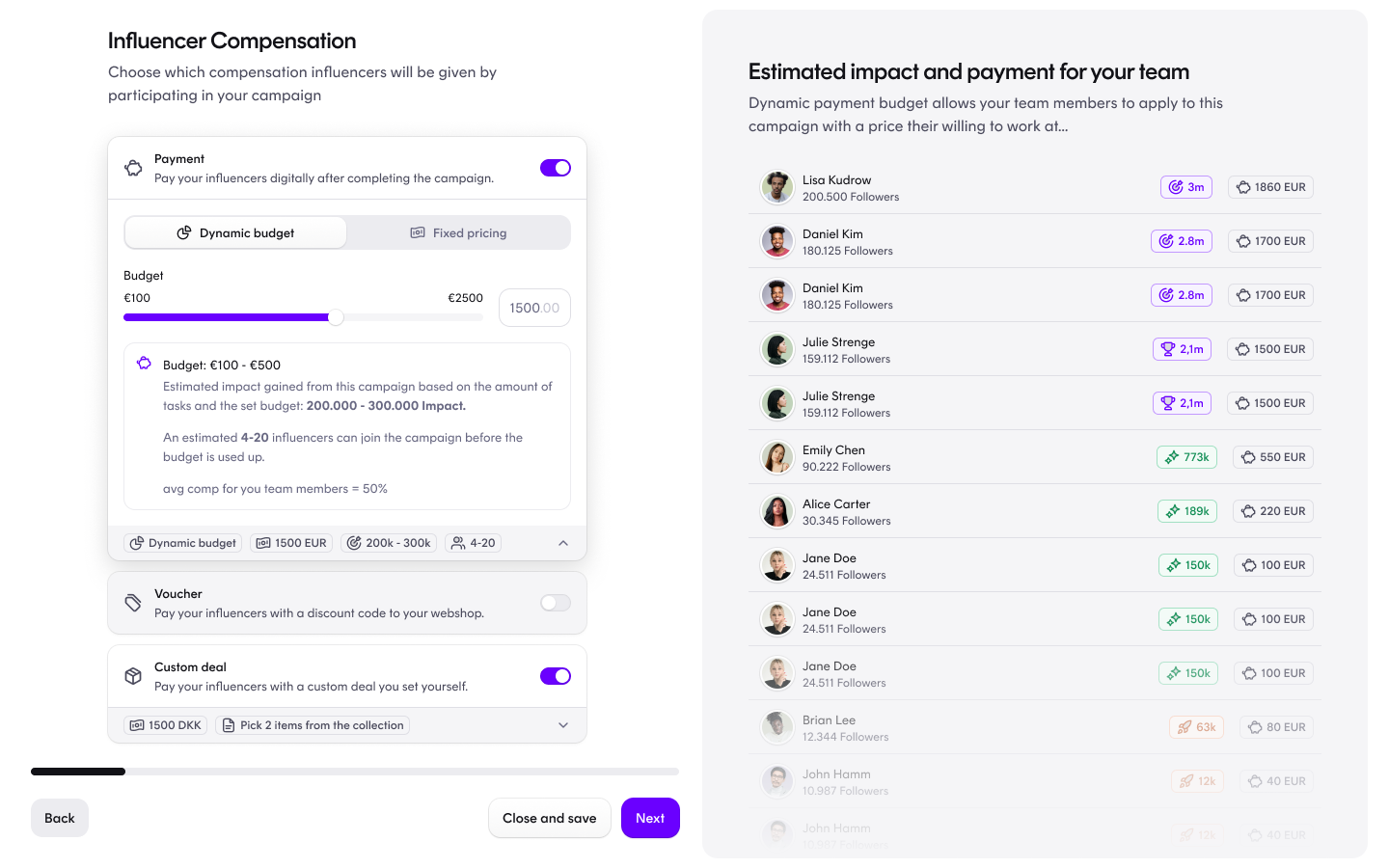
A Dynamic Budget campaign is a payment type where you set one total budget for the whole campaign instead of a fixed fee per creator.
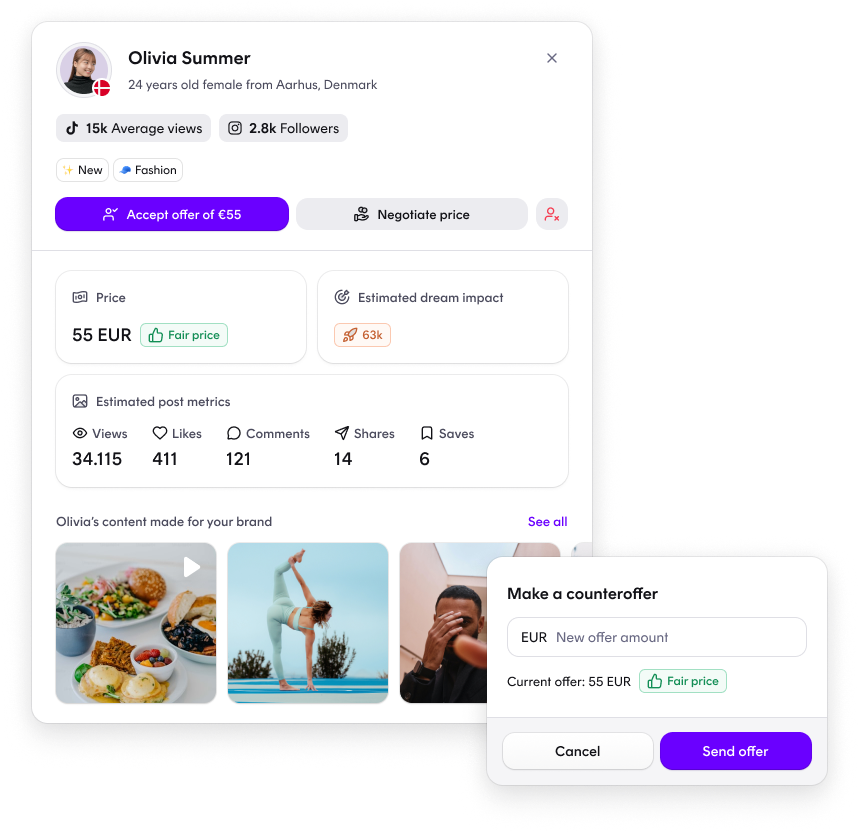
Creators apply to join with a price attached to their application. You accept or negotiate each one, and every price you agree to is drawn from the campaign budget. The price a creator starts from is suggested by us, based on their predicted impact rather than follower count alone.
Is it an add-on, and what does it cost?
Dynamic Budget is available to all Dreaminfluence customers. It is not a paid add-on and there is no extra fee for using it.
How it works
1. Choose Dynamic Budget when you create the campaign
Select Dynamic Budget as the payment type and set your total campaign budget, for example €5,000. That is the whole setup — there is nothing extra to configure or activate before you launch.
2. Creators apply to join
Dynamic Budget campaigns always use apply to join. This is fixed and cannot be switched to another join method. Every creator who wants to take part sends you an application with a price on it, starting from the price we suggest for them.
3. You review every application
Nobody is accepted automatically. The suggested price is a starting point, not an auto-approval — you decide on every application individually, and you can accept the price as it stands or negotiate it.
4. Negotiation goes both ways
If you propose a different price, the creator can accept it or come back with a counter-price. That continues until you agree or the application is declined.
5. The agreed price is committed to your budget
The moment you accept an application, the agreed price is deducted from the campaign's total budget. Your remaining budget always reflects what you have already committed.
What happens when the budget runs out
Once the full budget is committed, the campaign stops being visible to new creators in your team, so no new applications come in.
You can still accept applications that arrived before the budget ran out. That means the total you spend on a campaign can end up above the budget you set. The budget controls when the campaign stops attracting new creators — it is not a hard cap on what you are able to accept.
Editing the budget after the campaign is live
You can change the budget at any point after launch. Open the campaign, go to edit, and update the budget as you would any other campaign setting.
Increasing the budget makes the campaign visible to new creators in your team again, so this is how you reopen a campaign for applications once the original budget has been used up.
Why use Dynamic Budget
Pricing starts from impact, not follower count. Suggested prices are built on predicted performance and audience fit, so every negotiation starts from something grounded rather than a guess.
One number to plan against. You commit to a campaign budget rather than a fixed fee per creator, and you see what is left as you accept applications.
You stay in control of every price. No application is accepted without you, and you can negotiate any price you think is off.
Room to scale mid-campaign. If a campaign is going well, raising the budget reopens it to new creators without starting over.
Frequently asked questions
Is Dynamic Budget an add-on, and what is the price? No. It is available to all customers at no extra cost.
Is there anything specific to do or know before launching, beyond setting it up in the campaign? No. Dynamic Budget is a payment type you choose during campaign creation. Once the campaign is set up, there is nothing additional to prepare.
Can the price of the campaign be updated once the campaign is launched? Yes. The campaign budget can be edited after the campaign is live, in campaign edit.
Do we accept every creator, or do they get accepted automatically based on the suggested price? You accept every creator manually. Suggested pricing never auto-accepts anyone. Each creator applies with a price, and you accept it or negotiate.
Can the creator negotiate the price too? Yes. Negotiation works in both directions. If you counter a creator's price, they can accept it or counter again.
Related articles
Questions?
Please do not hesitate to contact your influencer marketing specialist if you have any questions.