Advanced Analytics
Which data is included in my current package?
If you do not have Advanced Analytics in your subscription, the following will be provided:
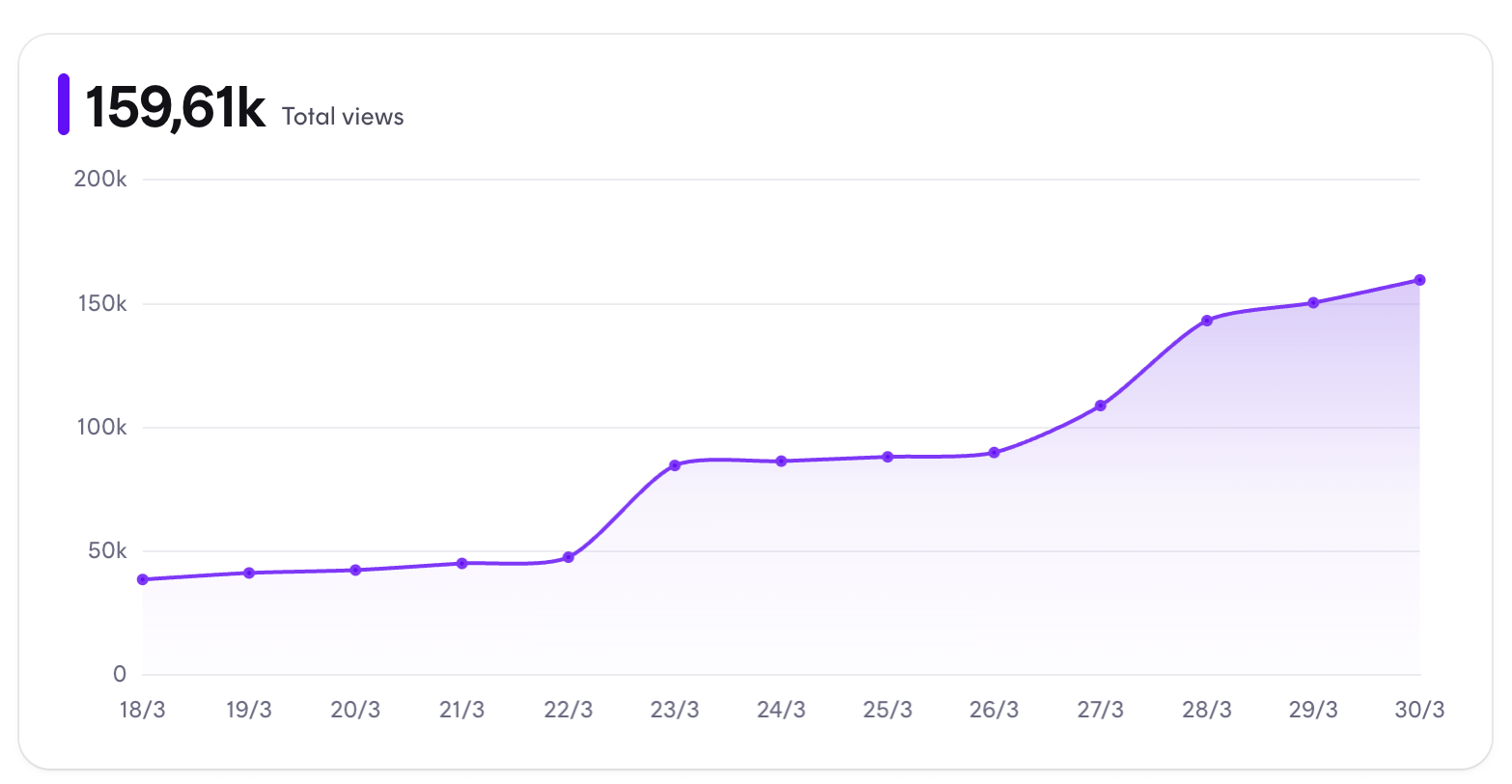
Total Views: This number show how many views the content provided by your team members has gain - across all campaigns. You will also be able to see and identify any spikes the last couple of weeks. The view looks like this:
Campaign overview: These numbers are provided based on the performance of one specific campaign. On Instagram and TikTok, the following is provided: Views, likes & comments. On Instagram we also provide stats on "saves" whereas we provide data on "shares" on TikTok. Such view looks like this:
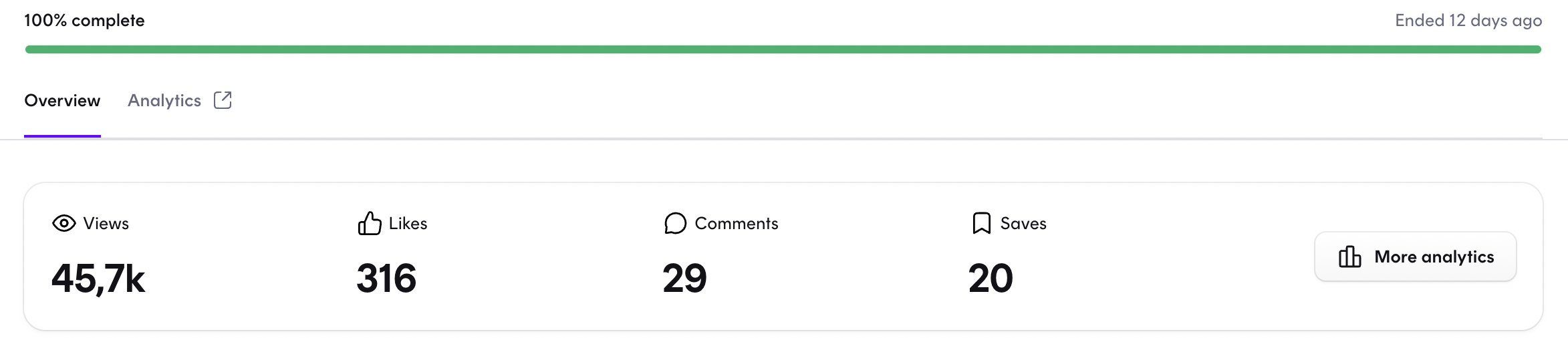
The green line shown above the numbers showcase the progress across the campaign. In this case, it shows that all influencers on the campaign has uploaded and/or delivered all content asked of them (100% completion).
Analytics overview: This is where you'll be able to get a better understanding of the team performance within a specific timeframe. Such view looks like this:
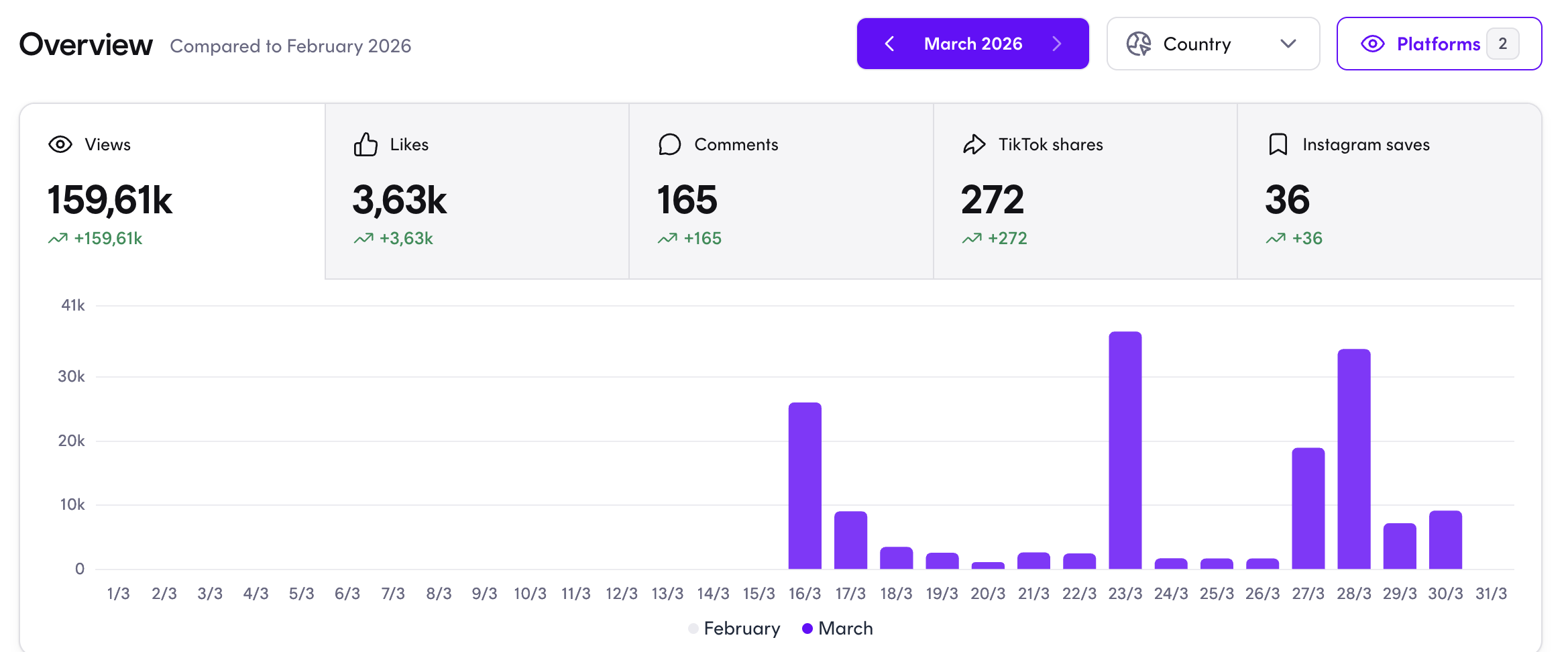
Within the dates, you'll be able to select which timeframe you'd like to see, for instance get the overview of the performance across a whole year:
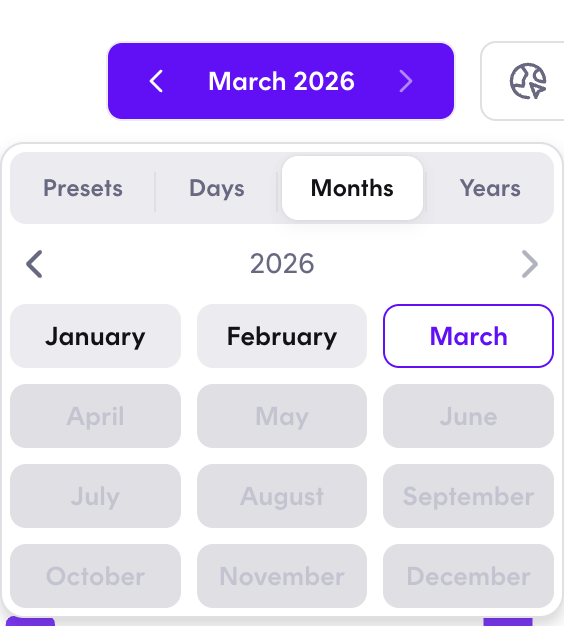
You'll also be able to unselect or enable a specific Social Media platformen, to the performance of a specific channel. Same goes for countries, if you are live in multiple countries, to identify the best performing one.
Sales: If you work with sales and share discount codes with your influencers, for them to share with their followers - you'll also be able to follow and track the sales via Dreaminfluence. Such view could look something like this:
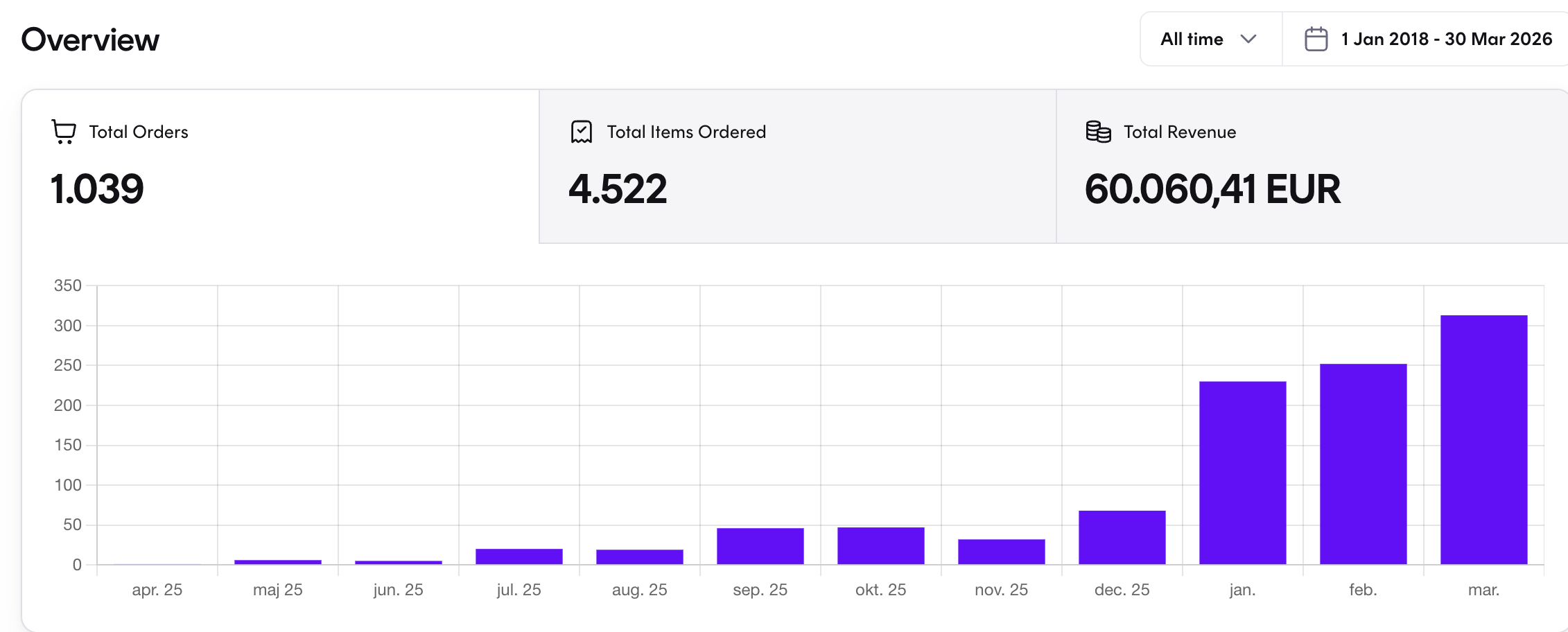
You'll also be able to brack the numbers down to each influencers - identifying how many orders each influencer has generated, the total revenue, the average order and each influencers discount code:

What does Advanced Analytics include?
When adding Advanced Analytics to your package, you'll be provided with even more data than shown above.
On campaign level: Additionally you will be able to see more specifically how the campaign performance through out the campaign periode. Such overview looks like this:
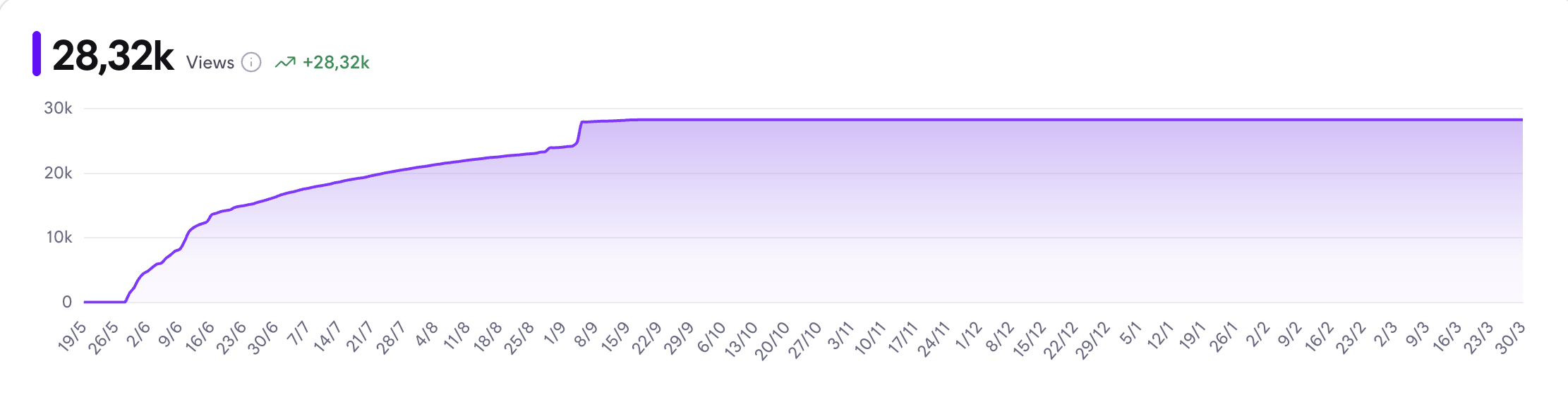
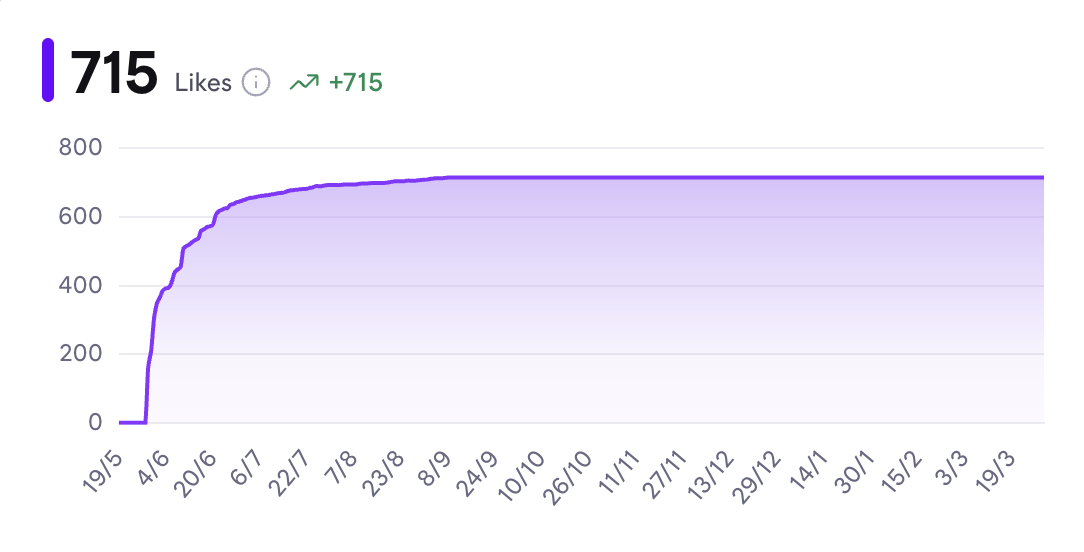
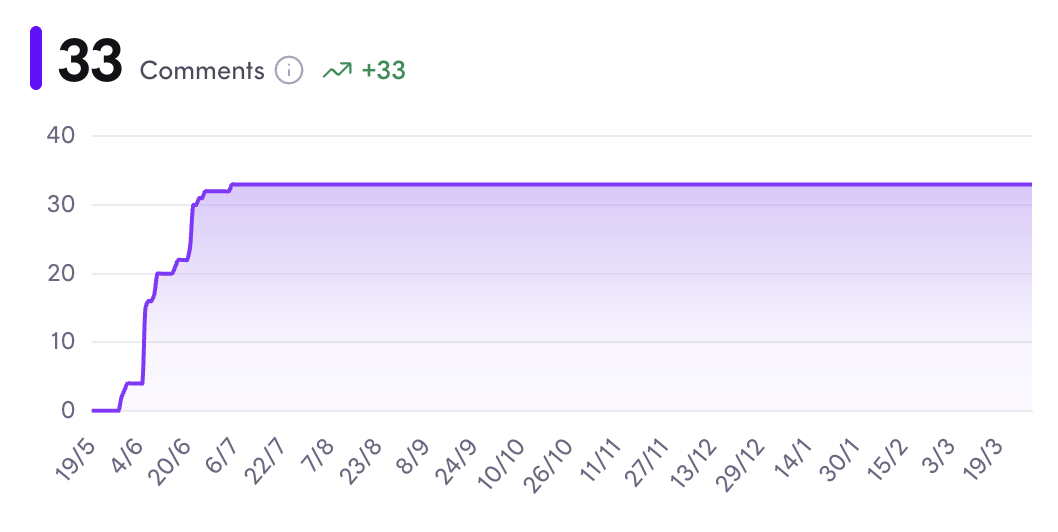
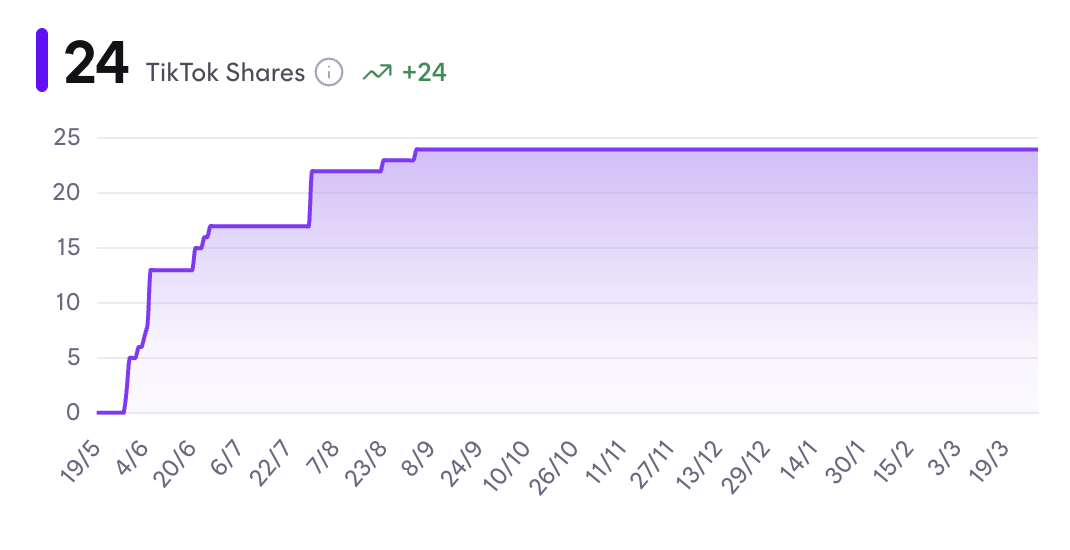
If you would like to compare campaigns, you can also export an Excel sheet, where data easily can be compared across all parameters (number of participants, reach, views, likes, comments, shares, saves, engagement and completionrate).
Team level: Here you'll be able to get the overview of your target audience, meaning: All your influencers followers summed up into the question "who are we targeting, when our team is posting"? Such overview looks like this:
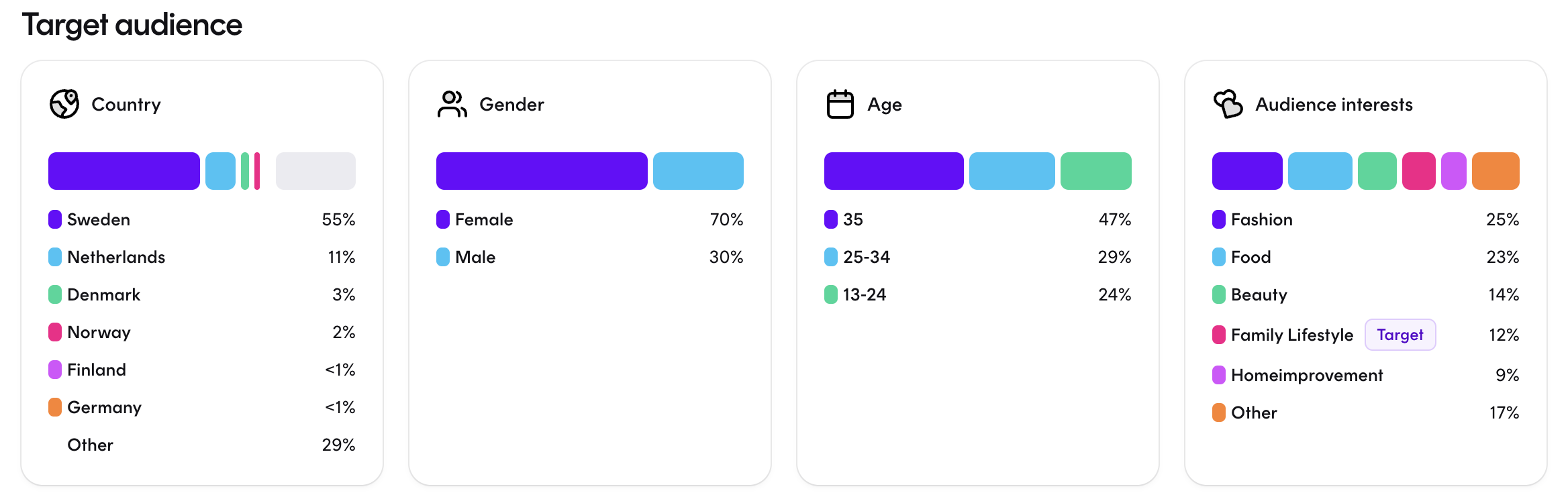
Influencer level: If you need an overview of best performing influencers. You will be able to apply the filters that you find most important to define performance. You will be able to select; "interactions" (likes and comments) & "views". You will also be able to see the content that each influencer has provided and create the overview you need across contries and/or platforms (Instagram/TikTok).
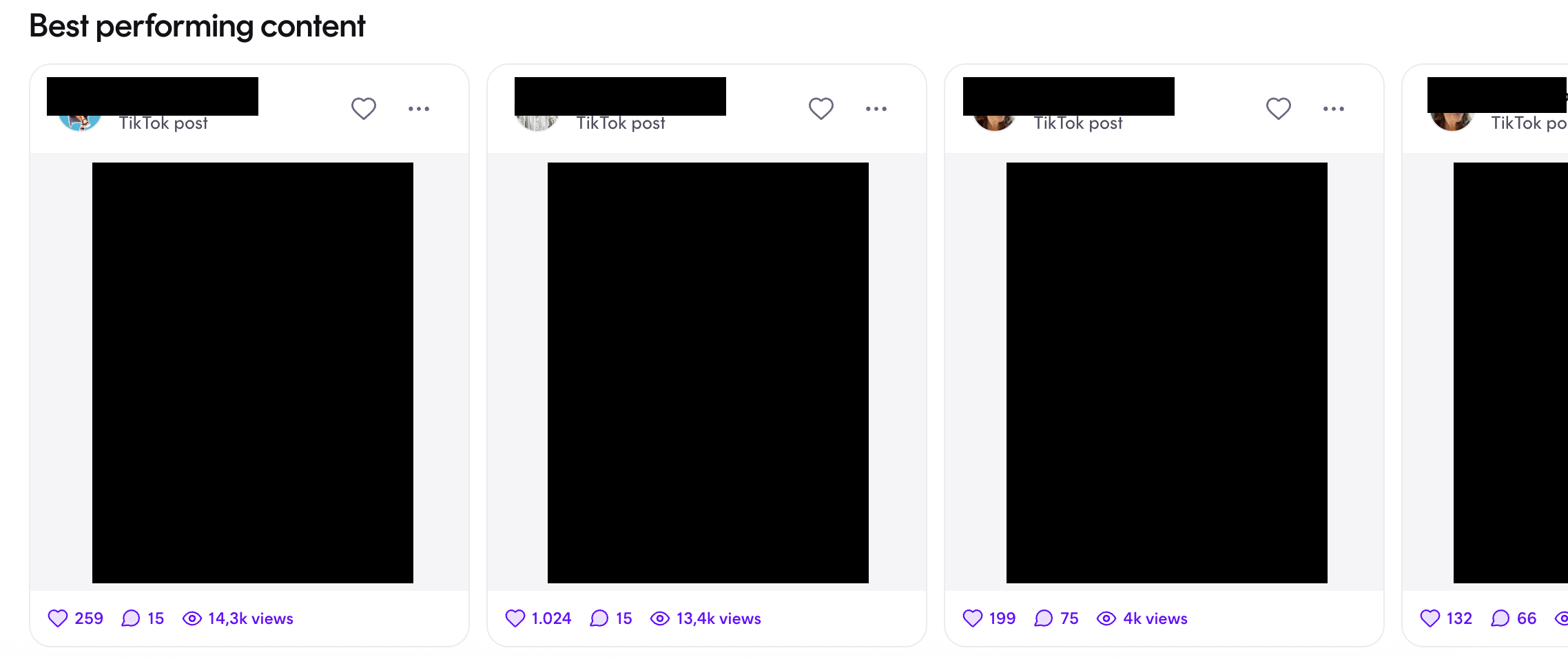
Content level: You'll also be able to identify best performing content across all campaigns. Such overview looks like this: