
How to delete a campaign
If a campaign haven't been published yet
If a campaign haven't been published yet, and is still in drafts, you can delete the campaign by clicking into the three dots on the right of the campaign:
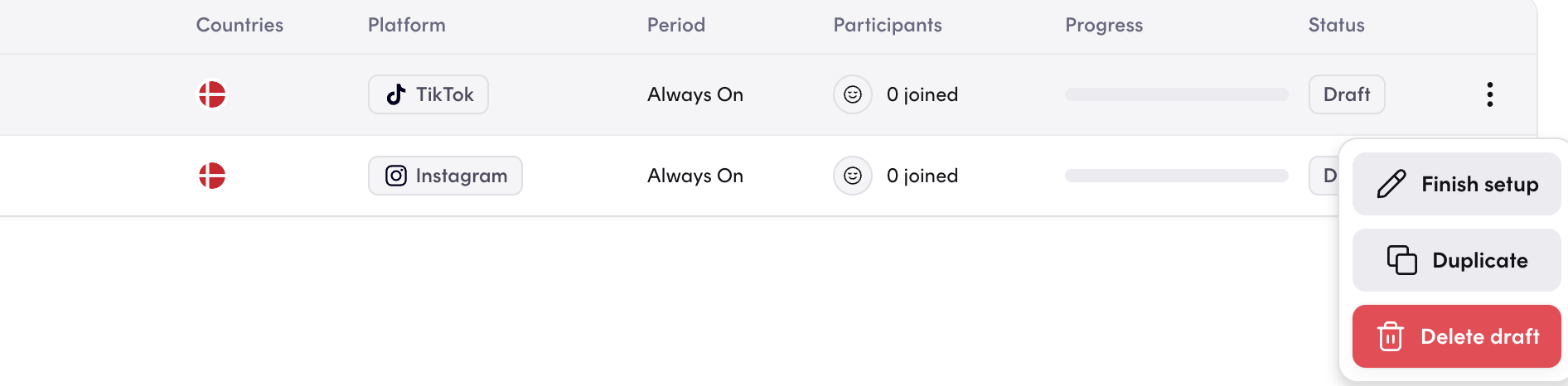
At this point, you will be able to click into "Delete draft" and the draft will be deleted.
If a campaign has been published
Once a campaign has been publish, you will not be able to delete the campaign the same way as the ones in draft. But we have a workaround, that will solve the issue for you. First you have to find your specific campaign and press the three dots to the right:
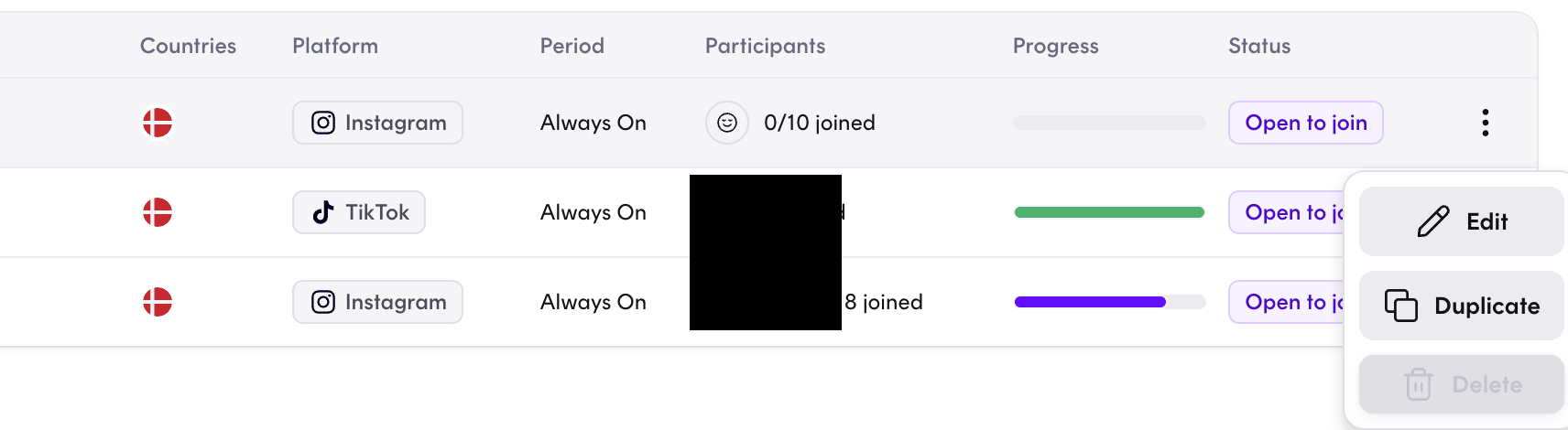
At this point, you'll have to pick "Edit" and you will be forwarded into your campaign settings.
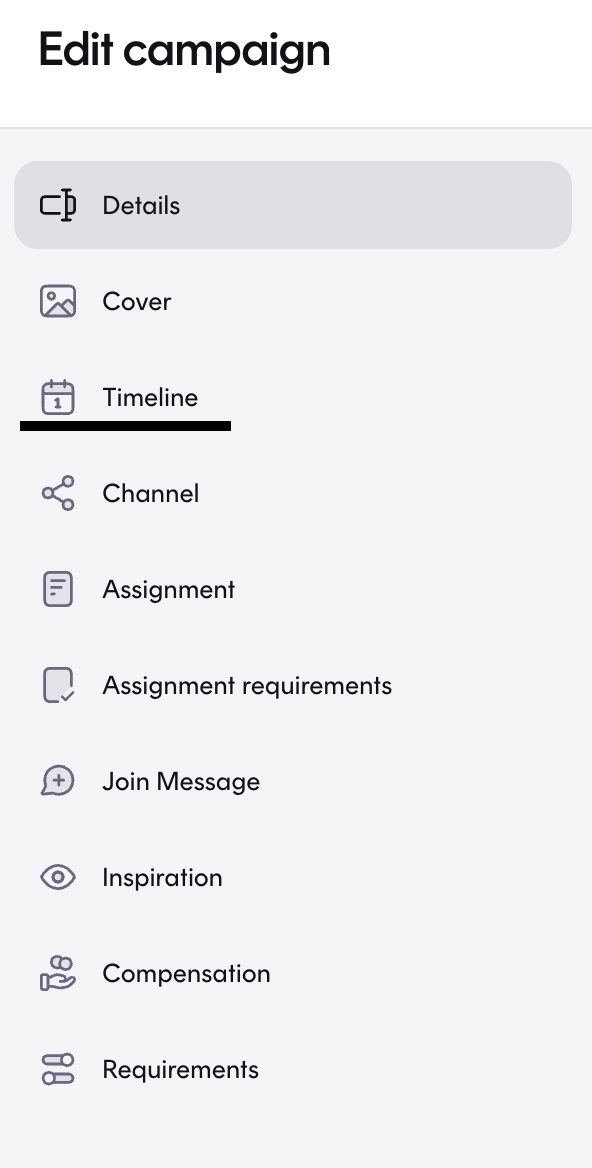
Please choose "Timeline":
Here you should make sure, that the campaign is set to "This campaign is always on". If you scroll down a little on the same page, you should change the Status to "Closed"
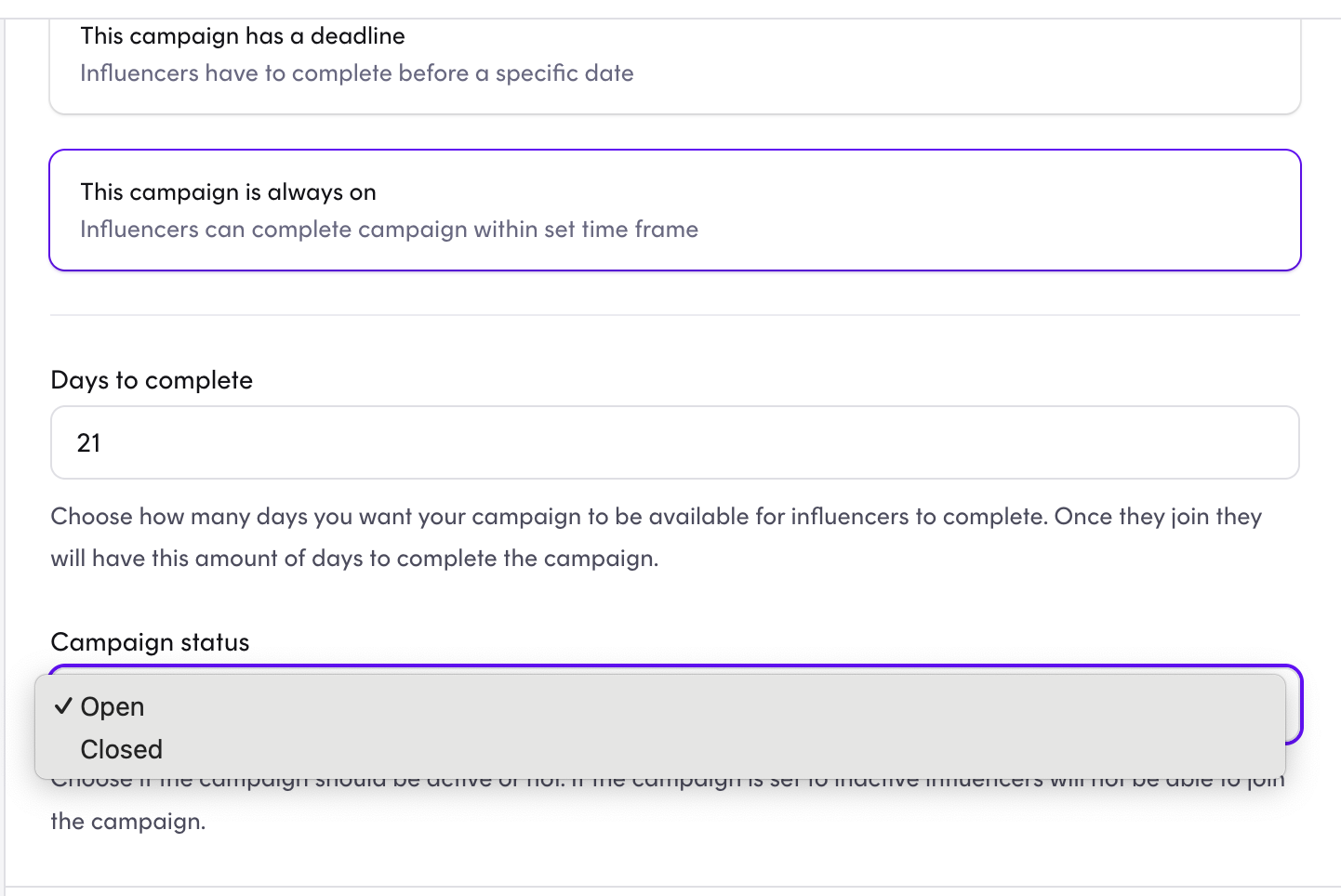
Make sure to Save Changes at the bottom right corner - and the campaign will now show in "ended campaigns".