
Invite influencers - Global search outreach
With global search, you can discover influencers outside of DreamInfluence's platform and invite them to join your team. With outreach, you can now contact those creators by email directly from global search — one at a time, or many at once using email templates.
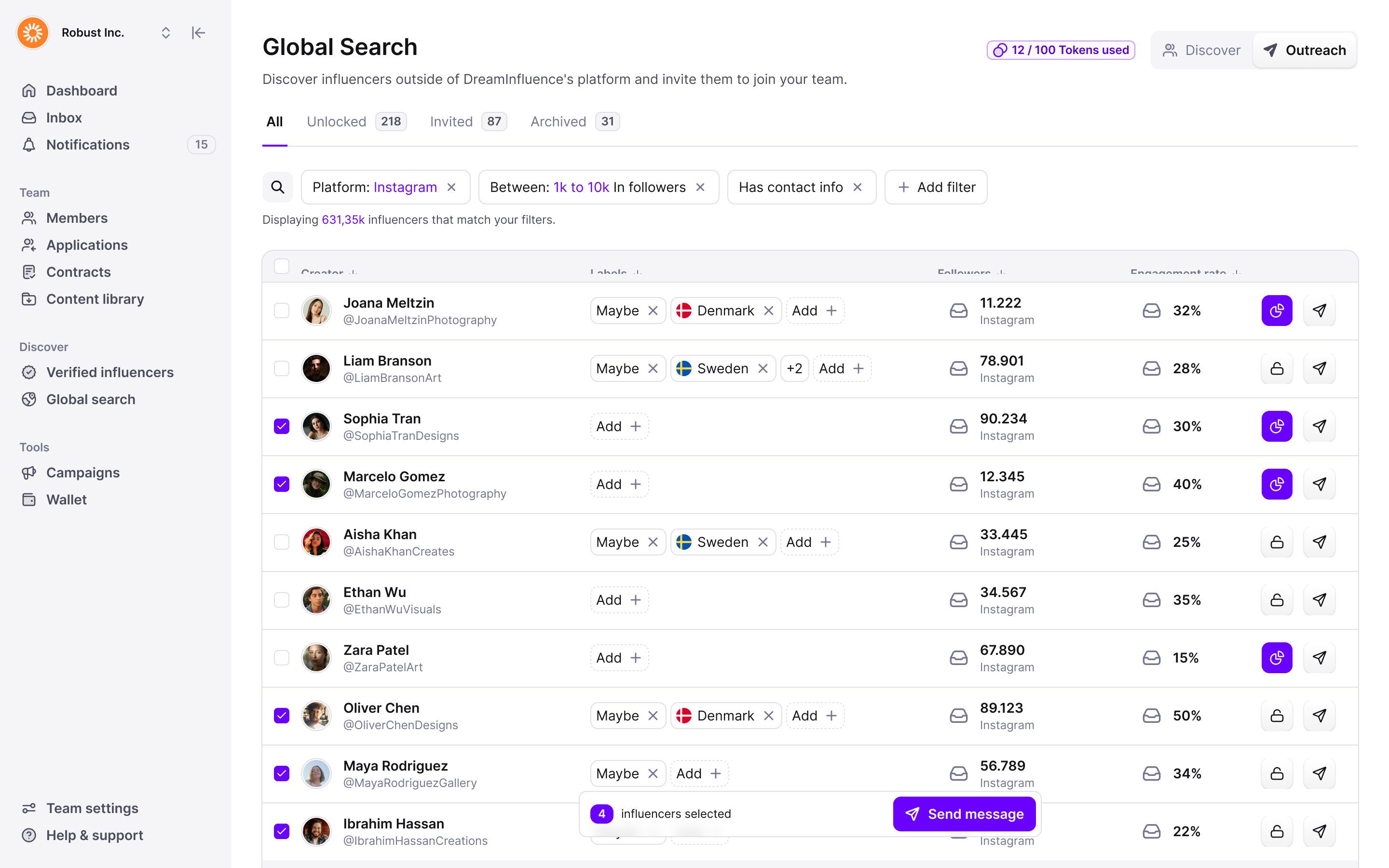
How to send your first outreach
- Find the right creators. Open Global search and narrow the list with filters — for example the platform, a follower range, and creators that have contact info.
- Unlock the creators you want to contact. Unlocking a creator reveals their insights and contact details, and uses one of your tokens. Sending an email to a locked creator unlocks them automatically, so you're never charged twice.
- Select creators and choose Send message. Switch to Outreach, use the checkboxes to select one or several creators, and click Send message.
- Write your message — or use a template. Type a subject and message, or pick one of your team's email templates. Templates are shared across your team and fill in each creator's name automatically, so you can invite many creators without writing every email yourself. Every outreach email ends with an invite button the creator can use to join your team.
Outreach emails are sent from your own domain through your team's connected Office 365 account — connect it in your settings before sending your first outreach. - Track who joins. Sent invites are logged on each creator, and the Invited tab shows how far every creator has come: clicked the link, signed up, applied to your team, or became a member. Use the Unlocked and Archived tabs and your own labels to keep the list organised.
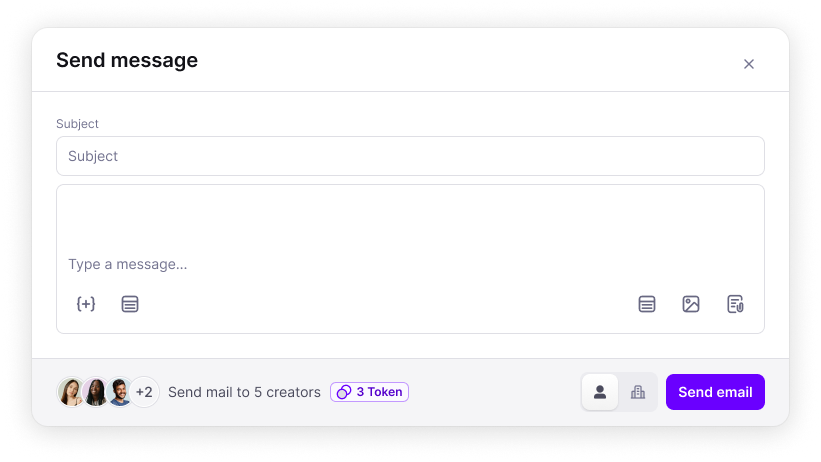
Questions? Reach out to us through the chat and we'll help you send your first outreach.